
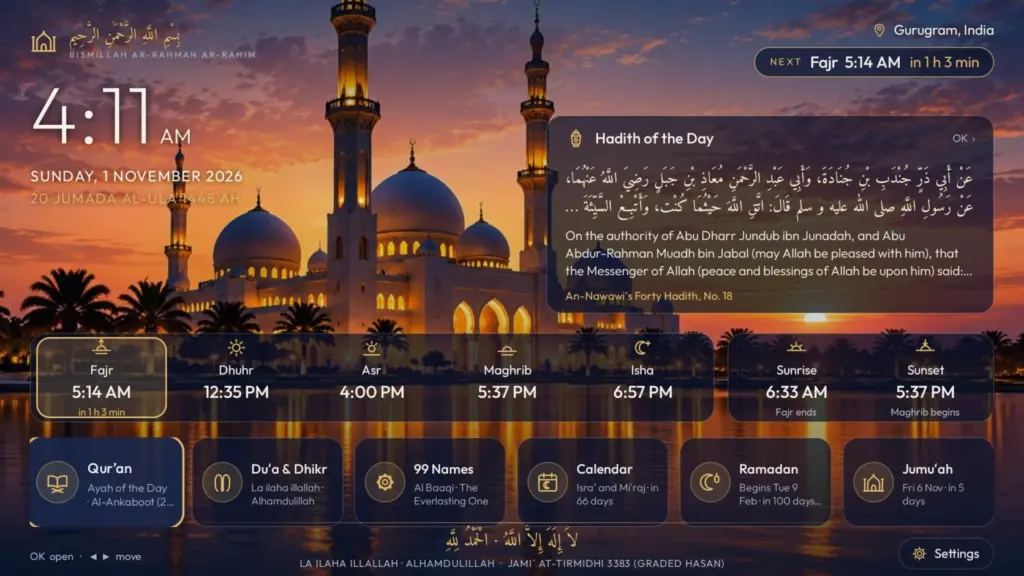
At home, the TV is on in the living room for hours, and that is where the family is when it’s time to pray. I wanted that screen to show the prayer times and call the Adhan, without anyone needing to check a phone. So I built Noor, an Android TV app for prayer times that works without the internet, has no ads and shows a reference for every verse and hadith.
This post covers why I built it, what it does, who it can help, and how to install and set it up.
The problem
The prayer apps I looked at were made for phones. On a TV they were awkward to use with a remote, and many came with ads, asked for an account, or showed verses and hadith with no reference.
For something shown to the whole family every day, I wanted every text to come from a published source and say where it is from. I also wanted an app that doesn’t need the internet at all and collects nothing.
What I built
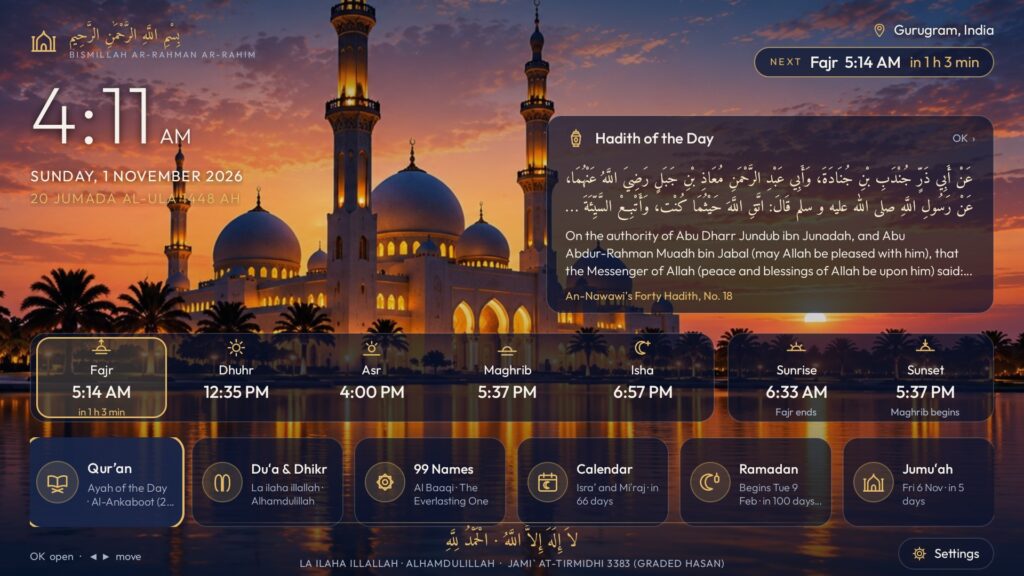
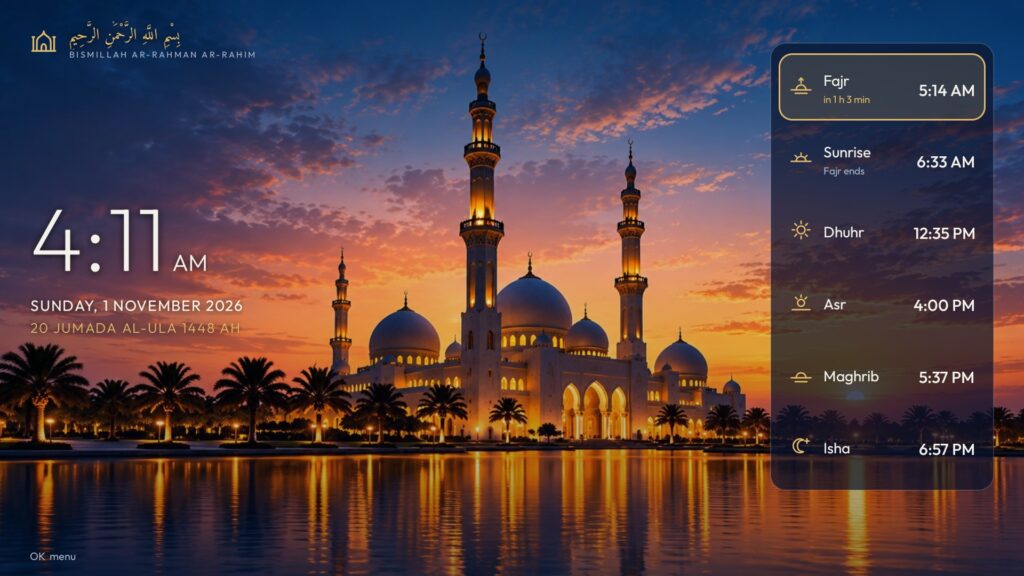
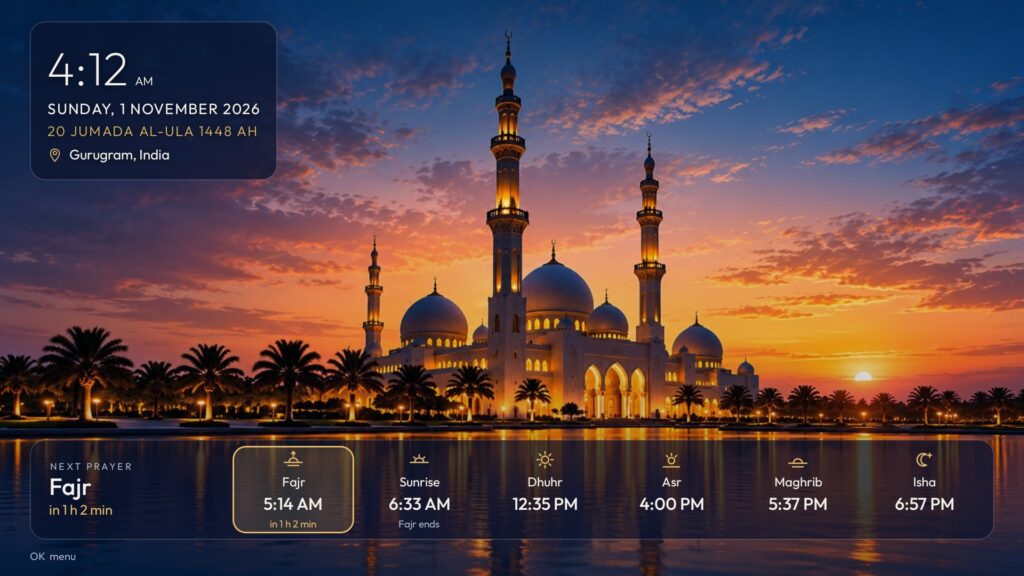
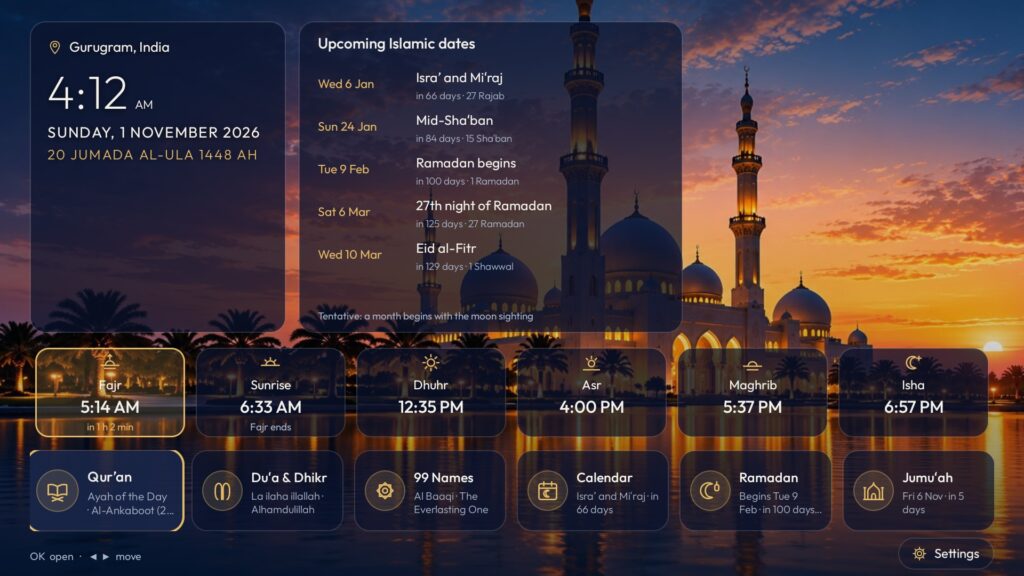
Noor shows the five daily prayers in large type, with the next one highlighted and a live countdown, together with the time, the Gregorian and Hijri date, sunrise and sunset.
- The Adhan on time. At prayer time Noor plays the Adhan over whatever is on the TV and shows a full-screen reminder. It can pause the video first and resume it afterwards.
- Accurate times, calculated on the TV. Noor has 12 calculation methods and Hanafi or Shafi’i Asr, and its times were checked against IslamicFinder and aladhan.com.
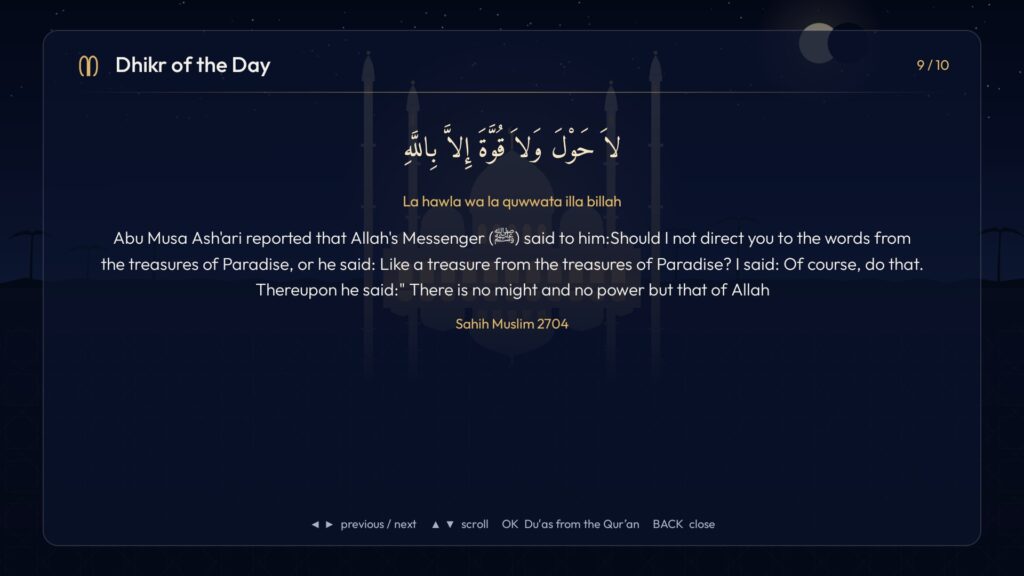
- Texts with references. The Qur’an comes from Tanzil with the Pickthall translation, and hadith from Sahih al-Bukhari, Sahih Muslim, Jami` at-Tirmidhi, Sunan Abi Dawud and an-Nawawi’s Forty Hadith. Every verse and narration shows its reference and grading.
- Several looks. A classic dashboard, an ambient clock over a mosque photo, and a photo slideshow. Noor can also be the TV’s screensaver.
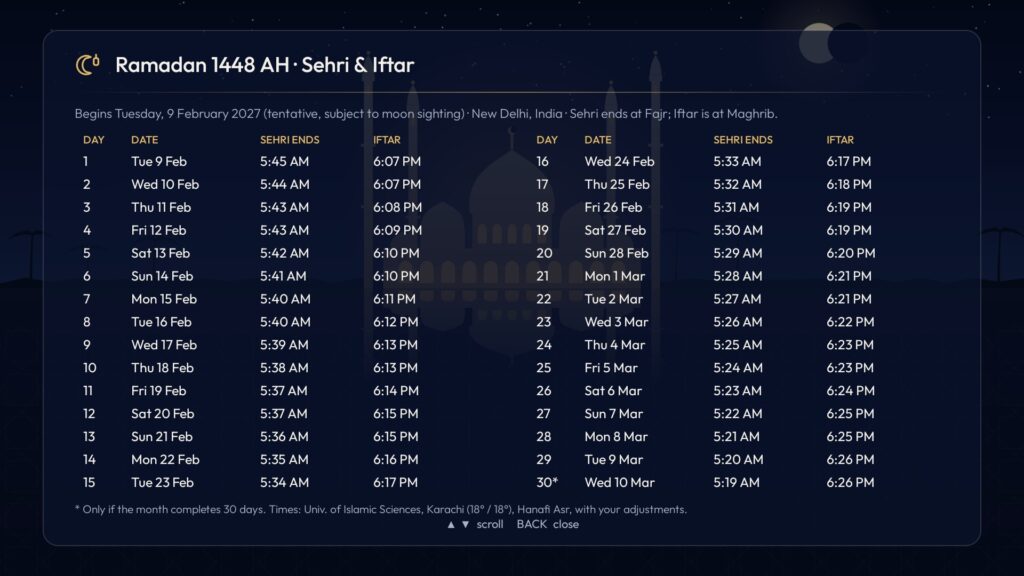
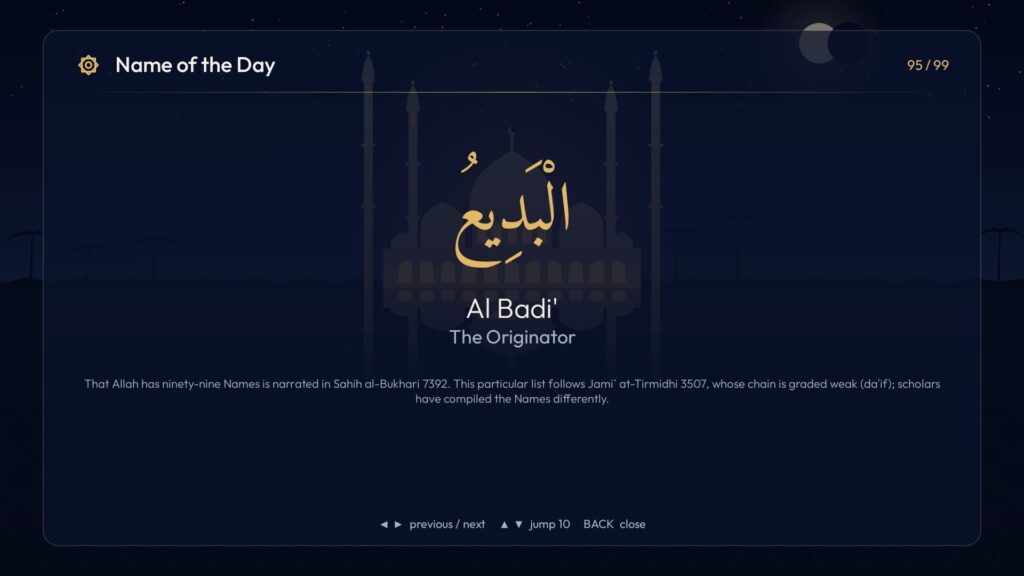
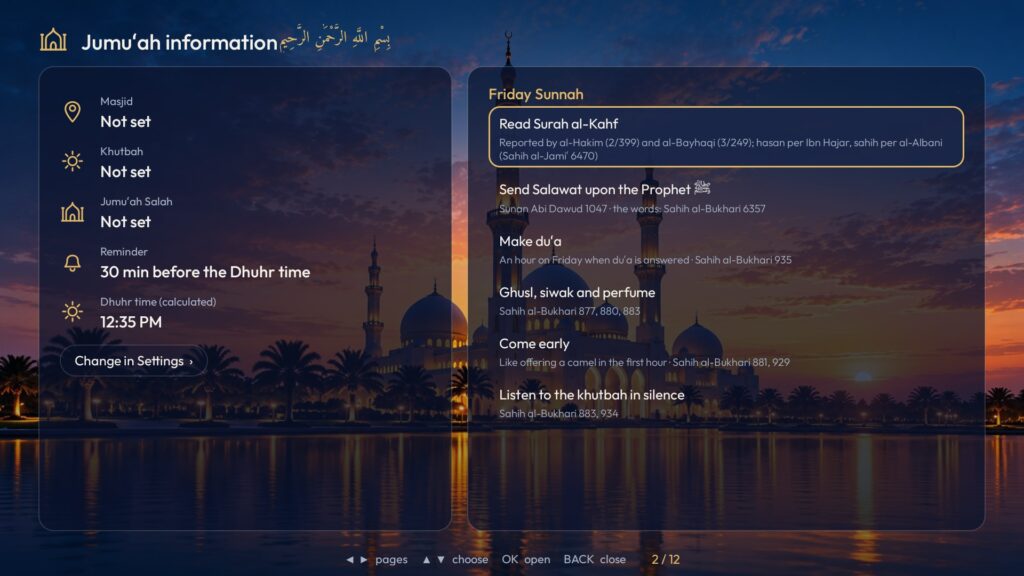
- Screens for the whole year. An Islamic calendar with the coming dates, a Ramadan timetable with Sehri and Iftar for all 30 days, the 99 Names of Allah, Dhikr of the Day and a Jumu’ah screen with your masjid’s times and the Friday Sunnah.
- Private by design. Noor has no internet permission, no ads, no account and no tracking.
Who Noor can help
- Families who want the prayer times and the Adhan in the room where everyone already is, including children and elders who don’t use a prayer app.
- Households in Ramadan, with the Sehri and Iftar times for every day of the month on one screen.
- Masjids, madrasas and community halls with a TV in the lobby, which can show the day’s times, the Jumu’ah screen with their own times and a hadith with its reference.
- Hosts with Muslim guests. A rental TV with Noor lets guests find the prayer times for the city they are visiting.
- Anyone careful about privacy. Noor works without the internet and collects nothing, as its privacy policy explains.
Installing and setting up Noor
Noor is in review on Google Play. Until it is approved, install it from the APK file. It needs an Android TV or Google TV running Android 8 or newer.
Download Noor for Android TV (APK, 4.4 MB)
Version 1.0 · SHA-256 21207ff3f4e6f9bf3489b361b7d4a852e15c7690d8f7bb5e8f4fd159addb584b
Step 1: Install it on the TV
- Install the free Downloader app (by AFTVnews) from the Play Store on your TV.
- Open Downloader and type the APK address:
https://thewasim.com/wp-content/uploads/2026/11/noor-tv-1.0.apk - When the TV asks, turn on “Install unknown apps” for Downloader, then choose Install.
Or install it from a computer on the same Wi-Fi, after turning on Developer options and network debugging on the TV:
adb connect <TV's IP address>:5555
adb install noor-tv-1.0.apk
Step 2: Set your location and method
Open Noor and go to Settings › Location. Pick your city, or type your latitude and longitude. Then choose the calculation method your local masjid follows and Hanafi or Shafi’i Asr. The times on the main screen update at once.
Step 3: Make sure the Adhan comes on time
Open Settings › Tests. If it shows “Allow alarms on time”, open it and allow Noor, so the Adhan plays at the exact minute.
Step 4: Make Noor the screensaver (optional)
In the TV’s own settings, go to Screen saver and choose Noor. When the TV sits idle, it shows the prayer times instead of a blank screen.
Good to know
- Some TVs don’t start apps after a power cut. If the power has been off, open Noor once and its alarms are set again.
- When Noor is approved on Google Play, you can install the Play version over this one without uninstalling.
Questions people ask
Is Noor on the Google Play Store?
It is in review on Google Play. Until it is approved, install it from the APK file above.
Is it safe to install an APK?
Only install APKs from a source you trust. This file is served from thewasim.com, and you can compare its SHA-256 with the one printed above. Android also asks you to allow each app that installs another app, so nothing installs without your permission.
Which TVs does it work on?
Android TV and Google TV devices running Android 8 or newer.
Does Noor need the internet?
No. Prayer times are calculated on the TV, and all its texts are inside the app. It doesn’t even have permission to use the internet.
Which translation does it use?
The Qur’an text is from Tanzil with the Pickthall English translation. Each hadith shows its collection, number and grading.
Try Noor
- Noor project page, with all eight screens
- The TV app (APK, 4.4 MB)
- Noor privacy policy
If you install it at home or in your masjid, tell me how it goes.
I also built Welcome TV, a welcome screen for Airbnb and short-stay hosts that greets each guest by name. Read Welcome TV: how I turned my Airbnb’s TV into a welcome screen for guests.
Adhan recordings from Wikimedia Commons, CC BY-SA 4.0: “The Adhan – Muslim Call to Prayer – Aaqib Azeez” (Atcovi) and “Azan.ogg” (Andrewler). Amiri and Outfit fonts, SIL Open Font License.